

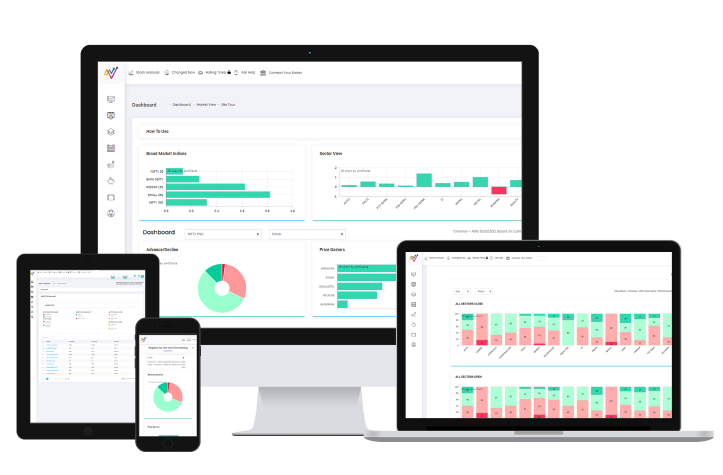








One Trading Signal Is Not Enough: How to Confirm a Trade Before Entry
A Trading Signal Should Begin the Analysis—Not End It
A stock gives a bullish signal. Do you enter immediately?
For many traders, that is where the decision-making process ends. But a signal should ideally be the beginning of the analysis—not the end. A single technical condition can tell you that something interesting is happening.
It may not tell you:
• Whether the broader market is supportive
• Whether the relevant sector is participating
• Whether the stock is approaching an important resistance level
• Whether momentum is strengthening
• Whether the higher timeframe supports the setup
• Whether another technical condition contradicts the first signal
This is why confirmation matters in technical analysis.
One Signal = Information
Multiple Supporting Observations = Better Context
What Does Trading Confirmation Mean?
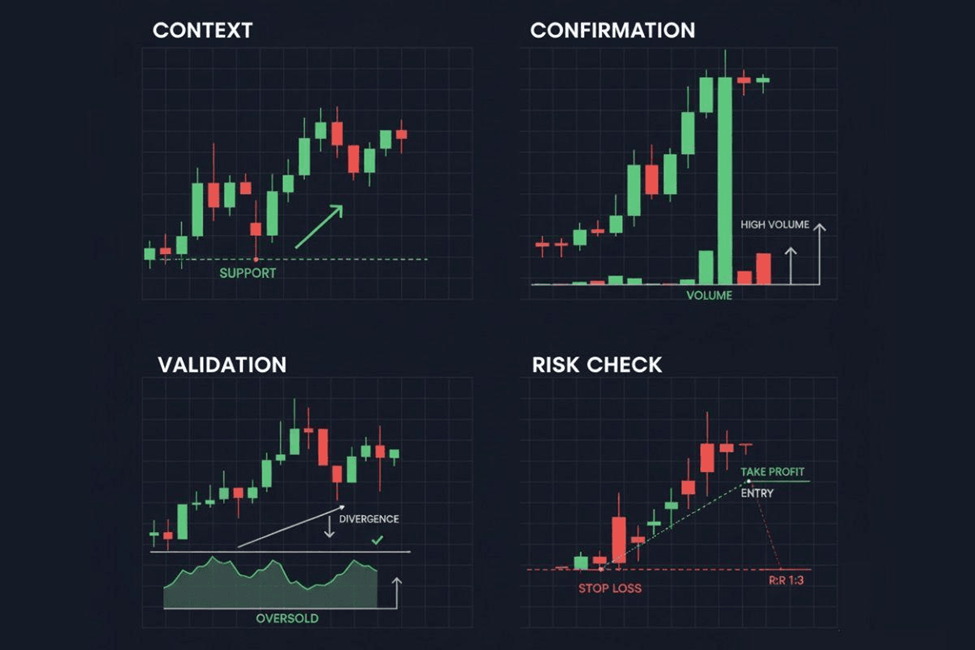
Confirmation means looking for additional evidence before acting on the first trading signal. Suppose a stock appears bullish. Before considering an entry, ask:
• What is the broader market doing?
• Is the relevant sector supportive?
• What does the higher timeframe show?
• Is momentum confirming the move?
• Is the price near support or resistance?
• Are other technical observations pointing in the same direction?
• Does the current price still offer a reasonable trade structure?
The objective is not to add ten indicators to the chart. The objective is to understand whether different pieces of information are telling a similar story.
Start With the Market Context
NeoTrader's Dashboard is designed around this top-down principle. Instead of beginning with a random stock, users can first understand whether the broader market is bullish, bearish or relatively neutral.
This can be assessed by reviewing:
• Broad-market indices
• Advance-decline behaviour
• Market heat-map information
• Sector participation
• Bullish and bearish market activity
The Dashboard can also help users distinguish between the market's movement relative to the previous close and what has happened after the current day's open.
This matters because a bullish stock signal occurring in a broadly weak market deserves different consideration from the same signal appearing in a strongly participating market.
The preferred workflow becomes: Market → Sector → Stock
Rather than: Stock → Trade → Check the Market Later
Starting with the broader market does not guarantee that the individual trade will work. It helps you understand the environment surrounding the signal.
Check Whether the Sector Supports the Signal
A stock does not move in complete isolation. A banking stock may be affected by what is happening across the banking sector. An IT company may behave differently depending on the strength or weakness of the broader IT index. The same principle can apply to Pharma, Auto, FMCG, Metals and other sectors.
Before acting on a bullish stock signal, ask:
• Is the relevant sector also showing strength?
• Is the stock outperforming or underperforming its sector?
• Is the sector moving in the same direction as the broader market?
• Is the stock the only strong name inside a weak sector?
Sector alignment provides another layer of context.
Market Direction + Sector Strength + Stock Signal
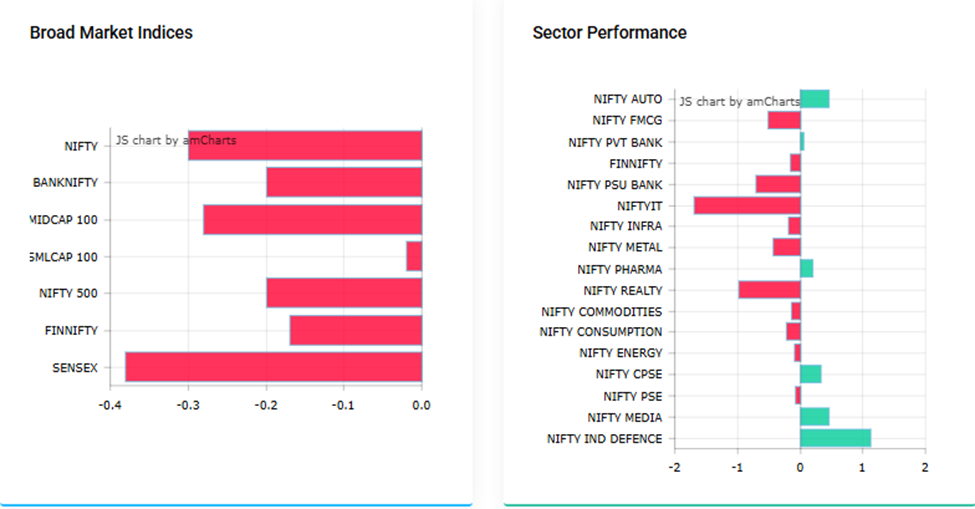
This is more meaningful than evaluating the stock signal alone.
Use Multiple Technical Inputs
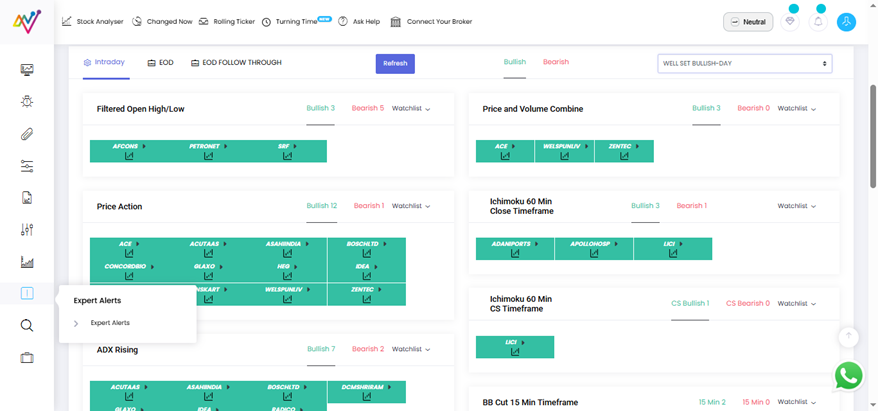
NeoTrader's Expert Alerts contain multiple technical modules. One practical approach is to observe whether the same stock appears across more than one technical study.
The Summary section provides a count indicating how many modules a stock has qualified in. Stocks with multiple technical observations can then be moved to a Dynamic Watchlist for further tracking.
Notice the difference. The idea is not: “Three signals mean the trade will definitely work.” It is: “The stock deserves deeper attention because multiple conditions are aligning.”
The number of signals should not replace analysis. It should help you decide which stocks deserve further attention.
Add a Second Layer With Rolling Ticker
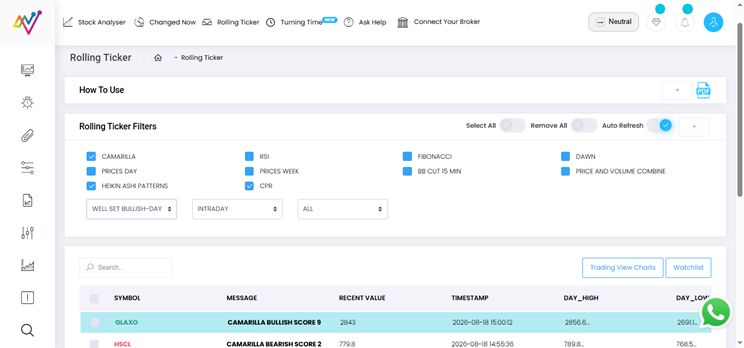
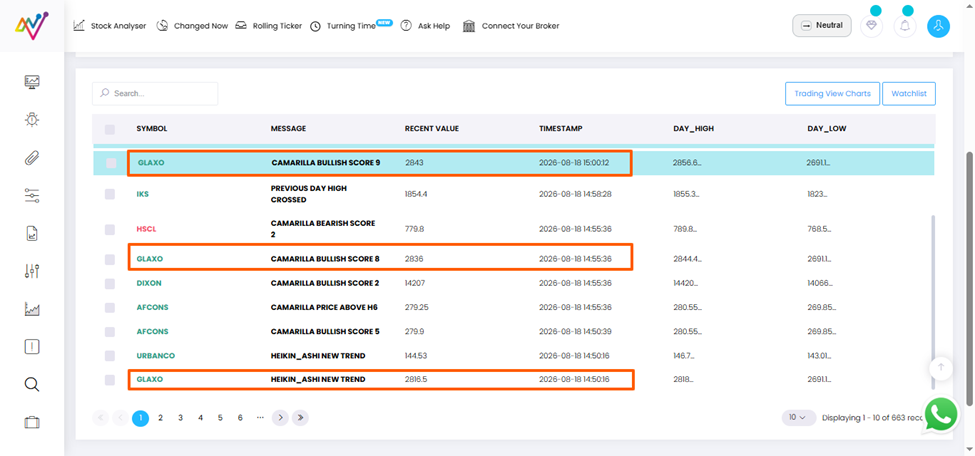
Once a shortlist has been created, Rolling Ticker can provide another layer of real-time intraday context. If repeated alerts continue appearing in the same direction, momentum may be showing follow-through. If signals begin changing direction repeatedly, the stock may be entering a choppy phase.
This can help traders distinguish between:
• Directional movement
• Weak follow-through
• Mixed signals
• Possible market indecision
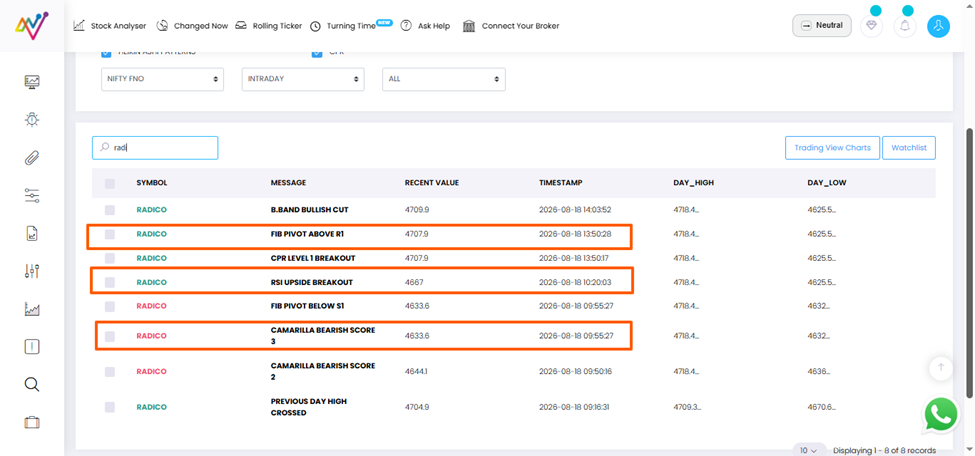
When mixed signals appear, waiting for clearer directional alerts may be better than forcing an entry.
Repeated Alignment Can Add Context
Repeated Contradiction Can Signal Caution
Move From Signal to Structure With Stock Analyzer
After identifying and confirming a potential candidate, Stock Analyzer helps shift the conversation towards the actual trade structure. Stock Analyzer can be used to study technical levels, momentum information and price-action context before execution.
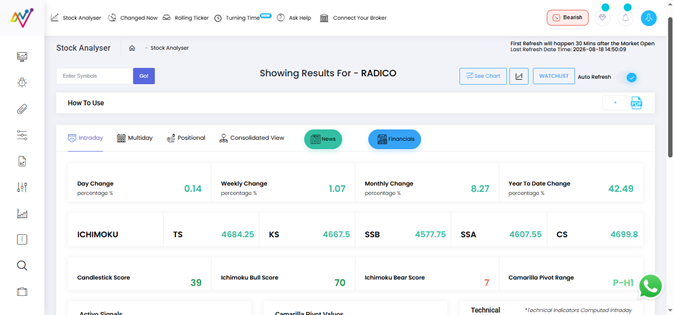
This allows you to ask:
• Where could the entry be considered?
• Where does the original trading idea become invalid?
• Where are the important support and resistance zones?
• Where are the potential target areas?
• Does the possible reward justify the risk?
• Does the setup match the intended trading timeframe?
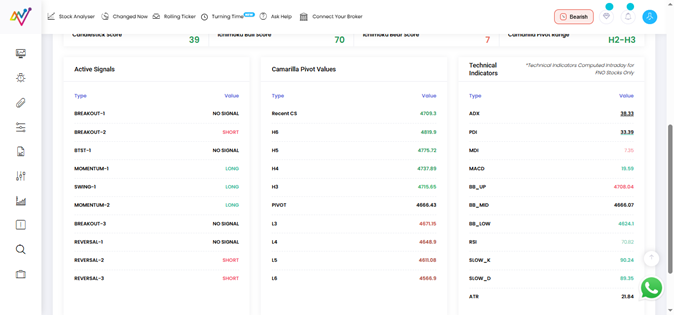
The decision has now moved far beyond simply reacting to an alert.
Signal → Analysis → Structure → Decision
Confirm the Higher Timeframe
A bullish signal on a lower timeframe may look attractive. But what if the daily chart shows the stock sitting directly below a major resistance zone? Similarly, a bearish intraday signal may appear when the stock is approaching an important higher-timeframe support level. Both situations require additional thought.
A practical multi-timeframe process can be:
Higher Timeframe → Understand the Broader Trend and Levels
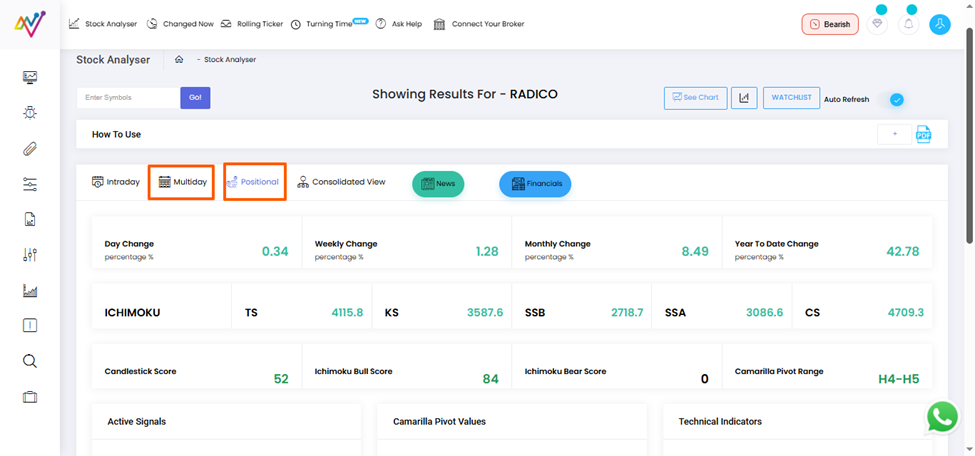
Trading Timeframe → Evaluate the Setup
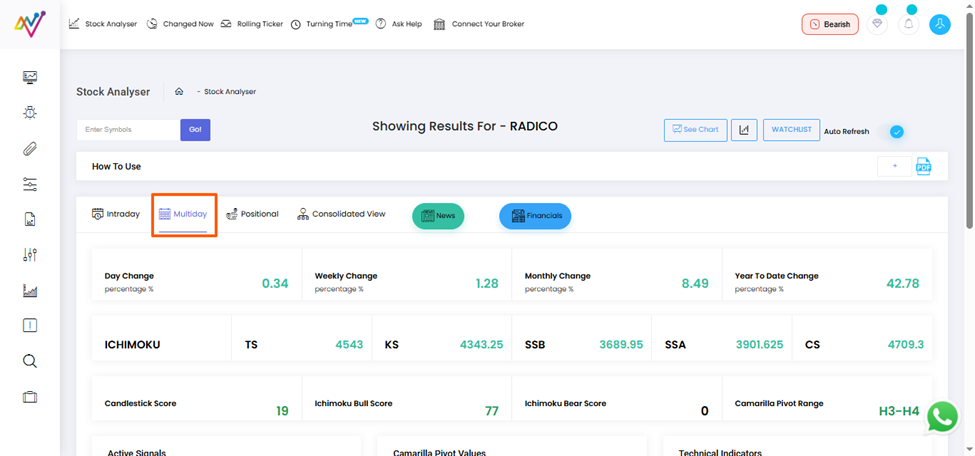
Lower Timeframe → Refine the Execution
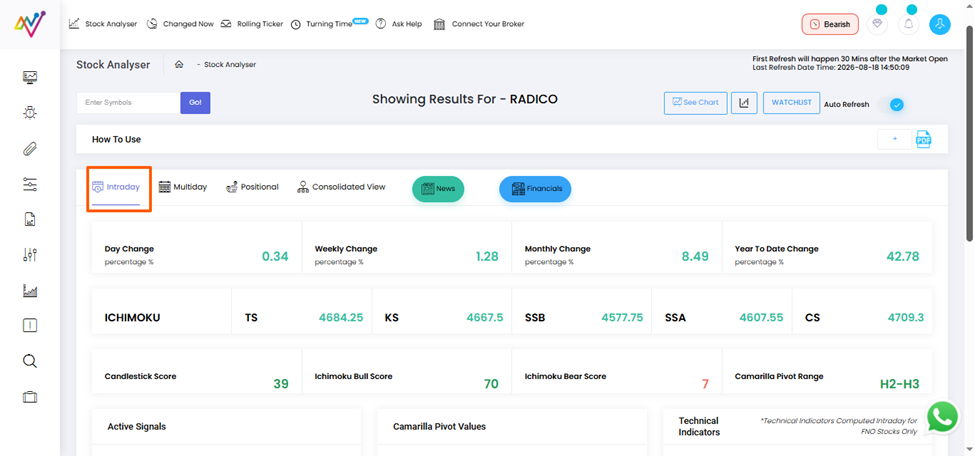
The exact timeframes will depend on whether the opportunity is Intraday, Multi-Day or Positional. The important point is not to evaluate a short-term signal in complete isolation.
Check the Signal's Timing
A trading signal may have been valid when it first appeared. That does not mean it remains equally useful much later.
Before acting, ask:
• When was the signal generated?
• At what price did it appear?
• How far has the stock moved since then?
• Is the original entry zone still available?
• Has the risk-reward structure changed?
• Has an opposite signal appeared after the original alert?
A delayed entry can completely change the original trade structure. A valid signal is not a permanent invitation to enter. Confirmation should include checking whether the opportunity still exists at the current price.
What If the Signals Do Not Agree?
That disagreement can also be valuable information. Suppose:
• The broader market is bullish, but the stock remains weak
• The sector is declining while the stock produces one bullish signal
• Momentum appears positive, but the price structure remains bearish
• Different technical alerts repeatedly change direction
• The lower timeframe looks bullish, but the higher timeframe shows major resistance
There may simply be no clear setup yet. Not every piece of market information needs to result in a trade. Sometimes confirmation tells you: Wait.
No trade can also be a valid decision when the available evidence lacks alignment.
A Practical Trade-Confirmation Checklist
Before acting on a trading signal, check the following:
1. Market Context
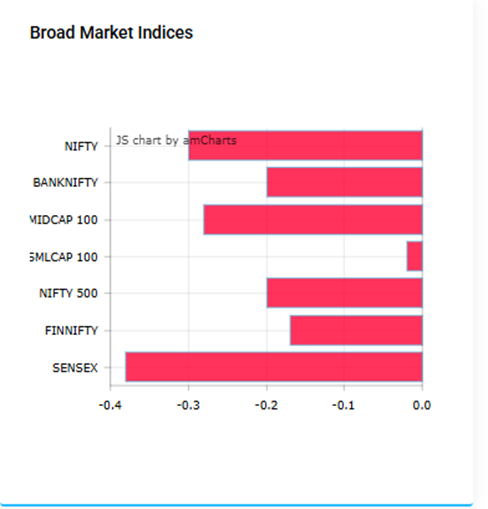
Is the broader market bullish, bearish or neutral?
2. Sector Strength
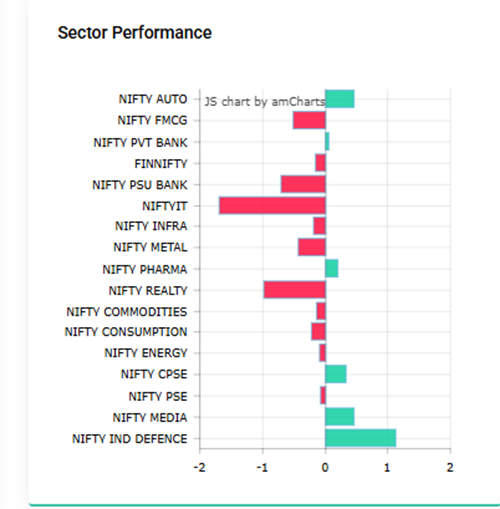
Is the relevant sector supporting the direction of the signal?
3. Higher-Timeframe Structure
Does the larger trend support or contradict the setup?
4. Momentum
Are RSI or other momentum observations aligned with the potential trade?
5. Price Levels
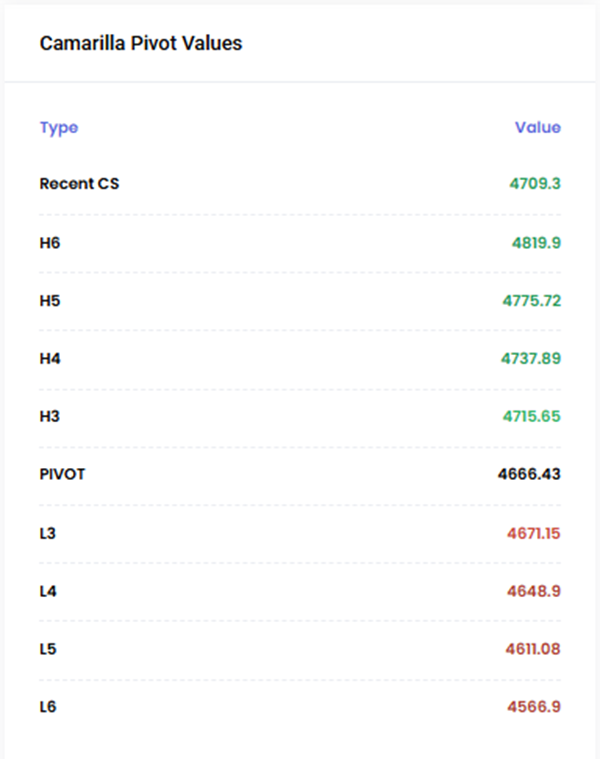
Is the stock approaching an important support, resistance or decision zone?
6. Multiple Technical Inputs
Are other relevant technical conditions pointing in a similar direction?
7. Signal Timing
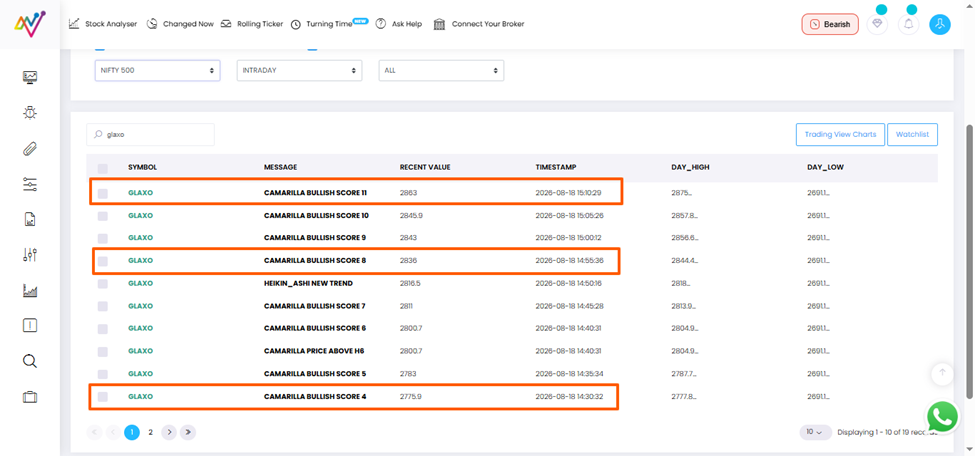
Is the signal still fresh, or has the stock already moved too far?
8. Trade Structure
Are the entry, invalidation level, potential target and risk clearly understood?
9. Final Decision
Does the complete setup fit your predefined trading plan?
The process can be summarised as:
Identify → Shortlist → Confirm → Structure → Decide
Conclusion
Trading confirmation is not about finding certainty. Markets do not offer certainty. It is about improving the quality of your decision by checking whether:
Market Context + Sector + Trend + Momentum + Price Levels
support the same trading idea.
NeoTrader brings these stages together through its Dashboard, Expert Alerts, Dynamic Watchlist, Rolling Ticker and Stock Analyzer. The purpose is not to react to more signals. It is to build better context before execution.
See the Confirmation Workflow in Action
Want to see how this confirmation process works practically? Explore the NeoTrader Dashboard or book a personalised platform walkthrough with our team.
(Disclaimer: For educational and informational purposes only. Trading and investing involve market risk. Technical signals, indicators and confirmation methods do not guarantee profitable outcomes. NeoTrader supports technical analysis and decision-making; it does not eliminate market risk.)
Like what you see? Share with a friend.


